
Hidden Objects Game: Find & Go
Guru Puzzle GamePuzzle
4.9113.00 Reviews
- Version
- 1.6.0
- Installs
- 50.00K
- Age Rating
- Everyone
Screenshots
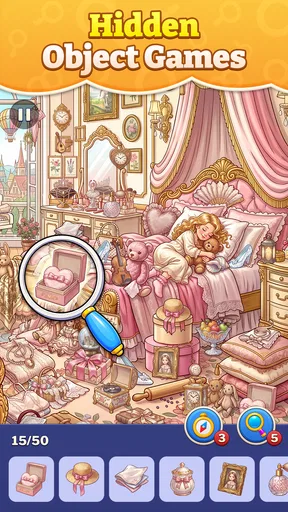


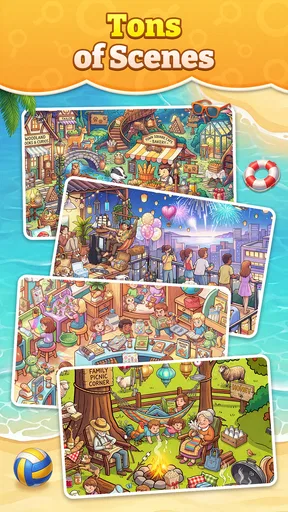
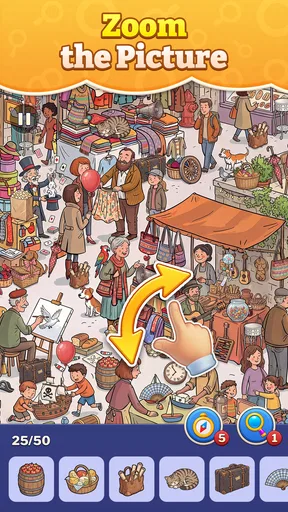
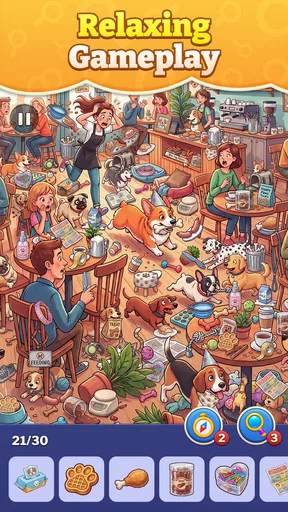

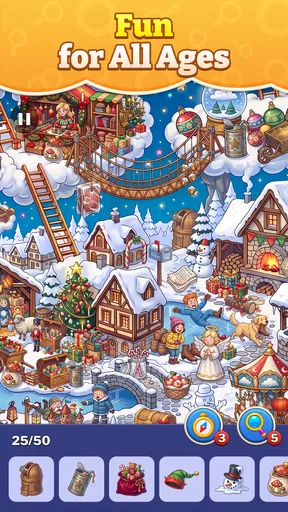
Our Review of Hidden Objects Game: Find & Go
 Analysis by Appyee
I spent time with Hidden Objects Game: Find & Go as a quiet puzzle game rather than a title built around speed or competition. Its basic idea is easy to understand: inspect a scene, locate objects that blend into the artwork, and keep searching until the picture gives up its secrets. That simplicity is the main attraction. I can open it when I want a short mental break, play without learning complicated rules, and stop after a scene without feeling tied to a long session.
It comes from Guru Puzzle Game and sits in the puzzle category. The game is free to download, aimed at Everyone, and has reached over 50 thousand installs. Its average rating is 4.9 from around 2.1 thousand ratings, which suggests that the relaxed hidden-object format is connecting with the people who try it. I would still treat that score as a useful signal rather than a guarantee, because enjoyment depends heavily on whether you like visual searching in the first place.
How the search feels in everyday play
When I settle into an ordinary session, I find that the useful skill is not spotting everything at once but keeping my search orderly as the easy clues disappear. I’ll explain how a simple scanning routine can make a brief play break feel satisfying without turning it into a race, then look at the small points that can trip up a first-time player.
A gentle pace that rewards attention
The strongest part of the experience is its natural rhythm. Hidden-object puzzles do not ask me to memorize a large rule set or react to enemies, timers, or complex controls. I look across a scene, notice a shape or color that seems slightly out of place, and then check whether it matches what I am looking for. That makes the game approachable after a tiring day, especially when I want something more engaging than scrolling but less demanding than a traditional strategy game.
The search itself can feel quick at first, then slow down as the obvious items disappear. That change is important: the game is not really about rushing through every screen. It is about changing how I inspect an image. I start with broad areas, then move to corners, edges, repeated patterns, and objects partly hidden by similar colors. The best sessions come when I accept that slower second pass instead of tapping randomly.
For a practical example, I can imagine using it during a short wait before an appointment. One scene gives me a focused activity without requiring sound, a long story, or a commitment to remember where I left off. In that situation, the game works better than a deeper puzzle title because I can begin immediately and leave when my name is called. It is also a reasonable choice for family play, since the Everyone rating makes its general audience clear and the central activity is easy to explain.
What affects the feeling of speed
Perceived speed here is mostly about visual clarity and my own search method, not fast animation. A busy scene can make progress feel slow even when the game is responding normally. I found that scanning in a fixed pattern is more efficient than bouncing between random points. I usually divide the picture into rough sections, inspect each one from left to right, and then return to the areas with similar textures. This simple habit reduces the frustration of repeatedly checking the same place.
Another useful approach is to look for category clues before individual objects. If the target seems likely to have a strong outline, I search silhouettes first. If it appears to blend into the background, I look for unusual edges or small breaks in a repeated design. These are not shortcuts that remove the challenge; they make the challenge feel fairer and help prevent the screen from becoming an exhausting wall of detail.
I would not choose this game when I need a rapid-fire reflex test. Its appeal is concentration at a comfortable pace. Players who expect constant action may interpret the same calm design as a lack of excitement, while people who enjoy observation puzzles will probably see it as the point.
Longer sessions and visual fatigue
The heavier moments are not necessarily technical ones. They are the points when I continue searching after my attention has started to fade. A hidden object can become difficult because I am tired, not because the puzzle has suddenly become more sophisticated. After several scenes, tiny details and similar colors can demand more effort than expected. Taking a short break is often more effective than tapping every part of the screen.
That makes the game particularly suitable for short bursts. I can use one scene as a small reset between tasks, then return later with fresher eyes. If I play for a longer stretch, I prefer changing my posture, increasing the distance between my face and the screen, and pausing when I begin to guess rather than observe. Those habits improve the experience more than simply playing faster.
There is also a trade-off between relaxing and completing everything perfectly. I enjoy the search more when I treat each scene as an observation exercise. If I turn it into a personal race, missed objects become irritating. Players who need a clear competitive ladder, a strong narrative, or a constant stream of new mechanics may find the format too narrow. For them, a broader puzzle game would offer more variety.
Reliability during ordinary use
In normal play, the most important reliability question is whether the game lets me settle into the search without unnecessary friction. This is a simple format, so I expect the core interaction to feel understandable from the first scene. The current version is 1.6.0, and the overall presentation feels aimed at keeping the focus on the picture rather than surrounding the puzzle with complicated systems.
I am careful not to confuse a quiet interface with a promise of perfect performance on every phone. The game supports Android 7.0 and later, so compatibility depends on the device meeting that requirement and on how well that particular hardware handles the visual content. A newer phone should generally be the safer choice for a consistently comfortable session, while an older compatible device may be better suited to shorter play periods.
Recovery matters in a puzzle game because losing concentration can be more annoying than losing progress. My practical advice is to avoid closing the app in the middle of a scene if I am unsure whether the current position has been retained. I also prefer completing a scene before switching between several demanding apps. That is not a special feature claim; it is simply a sensible workflow for keeping a focused game session predictable on mobile hardware.
The game’s free entry point makes testing straightforward. I can see whether the visual style and search rhythm suit me without paying first. At the same time, in-app purchases range from $1.99 to $96.99 per item, so I would review any purchase prompt carefully rather than assuming every part of the experience is cost-free. For a casual player, the best approach is to begin with the free experience and decide later whether any optional spending feels worthwhile.
Device limits and comfortable setup
The minimum operating-system requirement of Android 7.0 or newer is modest by current standards, but it still matters for people using older phones or tablets. Before installing, I would check the device software rather than relying only on the model name. Compatibility is especially relevant for family devices that may not receive recent system updates.
Screen size also changes the experience. A larger display can make small objects easier to distinguish and reduce the need to move the phone constantly. On a compact screen, I would hold the device closer only briefly and use deliberate scanning instead of trying to inspect the whole picture at once. The game is a better fit for someone comfortable examining visual detail than for someone who finds small elements tiring.
Resource demands are difficult to judge from the store details alone, and I would not pretend that a rating or install count measures battery use or memory behavior. My own expectation is to treat it like a visual puzzle rather than a background app: open it when I want to play, finish or pause a scene, and close it when I am done. That keeps the usage pattern simple and avoids expecting it to behave like a lightweight utility running continuously.
If a device becomes warm or starts slowing after a long mobile session, I would first reduce the session length and close unrelated apps before blaming the puzzle itself. On older hardware, shorter searches are likely to be more comfortable than extended play. This is one reason I see the game as a break-time title rather than something I would leave open for hours.
How it compares with familiar alternatives
Compared with a crossword or word-search game, this title shifts the work from language to visual recognition. That makes it a better choice when I want to avoid vocabulary, spelling, or clues. Compared with a match-three puzzle, it is less about planning combinations and more about patience. There is no need to build a chain of moves in my head; I simply learn to inspect the scene more carefully.
It also differs from a traditional logic puzzle. A logic game usually gives me rules that lead toward a deduction, while a hidden-object game asks me to notice what is already present. I would recommend this one to someone who likes “spot the difference” activities, illustration-based searches, or calm observation tasks. I would steer a player elsewhere if they want mathematical depth, evolving strategy, or a strong sense of mastery through increasingly complex systems.
The trade-off is variety within the basic activity. The central pleasure remains searching through scenes, so the game must be judged on how much I enjoy that loop rather than on whether it offers a completely different genre every few minutes. That focus is a strength for players seeking consistency, but a weakness for anyone who quickly needs new forms of interaction.
Who should install it
I think it is a good match for casual puzzle players, families looking for an accessible visual activity, and adults who want a low-pressure way to occupy a few spare minutes. It can also suit people who enjoy training their attention informally: the useful skill is not memorizing a solution but learning to inspect an image systematically.
It is less suitable for players who dislike searching through detailed pictures, become frustrated when an item is hard to notice, or want a clear story to pull them from one level to the next. I would also skip it if my main goal were fast action, competitive rankings, or a demanding brainteaser. A word puzzle, logic game, or action title would serve those needs more directly.
For parents or anyone sharing a device, the Everyone rating is reassuring as a broad age classification, but I would still look at purchase prompts before handing the phone over. Free installation does not mean every possible item is free, and the listed purchase range is wide enough that accidental tapping deserves attention.
My practical verdict on performance and value
After using it as a short-session puzzle, I see Hidden Objects Game: Find & Go as a focused, approachable option rather than an ambitious all-purpose game. Its perceived speed is comfortable when I search methodically, its heavier moments come mainly from visual fatigue, and its device suitability depends on meeting the Android requirement and having a screen that makes small details comfortable to inspect.
The strongest tip I can offer is to treat each scene like a map. Sweep in sections, pause when your eyes start skipping, and return to difficult areas only after a short reset. That workflow makes the game feel less random and gives me a better chance of finding the final object without frantic tapping. It also turns a simple pastime into a surprisingly useful exercise in attention control.
Guru Puzzle Game has kept the concept clear: look closely, find what belongs, and enjoy a calm search. The free price makes it easy to try, while the purchase range means I would stay mindful around optional spending. With a 4.9 average and over 50 thousand installs, it has already attracted a solid audience, but the real test is personal. If you like visual scavenger hunts and want a puzzle that fits naturally into small breaks, I would recommend giving it a try. If you need strategic depth or rapid action, choose a different kind of game instead.
Verdict
Strengths of Hidden Objects Game: Find & Go
- Relaxing gameplay suitable for short sessions
- Many scenes offer varied visual themes to explore
- Helpful hints make difficult objects easier to find
- Simple controls are accessible for all age groups
- Offline play is convenient when no internet is available
Limitations of Hidden Objects Game: Find & Go
- Some scenes may feel repetitive after extended play
- Small objects can be difficult to spot on phone screens
- Hints or extra content may be limited without purchases
- Ads can interrupt the flow between levels
- Difficulty may vary noticeably from one scene to another
Other Releases by Guru Puzzle Game
View All
Ball Sort Puzzle - Color Game
Puzzle4.9

Water Sort Puzzle - Sort Color
Puzzle4.8


Differences - Find & Spot It
Puzzle4.9
Similar Picks in This Category
View All
Block Blast!
HungryStudio4.8

Braindom: Brain Games Test
Lahana Game Studio4.6

AMAZE!
CrazyLabs LTD4.6

Sudoku - Classic Sudoku Puzzle
Oakever Games4.7

Art Puzzle - Puzzle Games
Easybrain4.8

Amaze GO!
Oakever Games4.9
Frequently Asked Questions
What is Hidden Objects Game: Find & Go?
Hidden Objects Game: Find & Go is a casual puzzle game focused on searching detailed scenes for objects that are cleverly concealed in the artwork. Each level gives you a list of items to locate, encouraging careful observation and concentration. The game is designed for short or extended play sessions and generally offers a relaxed alternative to faster-paced action games.
How do you play Hidden Objects Game: Find & Go?
To play, open a scene and examine the image closely for the objects shown in the level’s search list. Tap an item when you find it, then continue looking until the required collection is complete. Some stages may include hints, time limits, or additional challenges, so players should inspect corners, backgrounds, and visually crowded areas instead of tapping randomly.
Is Hidden Objects Game: Find & Go free to download and play?
The game can typically be downloaded at no initial cost, allowing players to try its main hidden-object puzzles without purchasing the application first. However, free versions of this type of game may include advertising, optional in-app purchases, extra hints, or content that becomes available through payment. Check the store listing and purchase settings before downloading.
Does Hidden Objects Game: Find & Go require an internet connection?
Whether an internet connection is required can depend on the version installed and the feature being used. Basic puzzle levels may work offline after the necessary content has loaded, while advertisements, updates, cloud features, or optional rewards may require connectivity. If you plan to play while traveling, test the game in airplane mode first to confirm offline access.
Is Hidden Objects Game: Find & Go suitable for children?
The game is generally approachable for children because its core activity involves visual searching rather than complex controls or difficult rules. Nevertheless, parents should review the age rating, advertising, privacy information, and in-app purchase options before allowing younger players to use it. Some scenes or promotional content may not be equally appropriate for every age group.
Play our best games!


